

Skills
Why skills exist
Without skills, the same rules get copy-pasted into five agents. When the policy changes, four of them silently go stale.
With skills, you edit one page and every agent that uses it is updated.
| Good candidates for a skill | Keep in instructions instead |
|---|---|
| Brand voice and tone | Anything unique to this one agent |
| Escalation policy | The agent's specific step-by-step job |
| Report or email templates | One-off phrasing tweaks |
| Compliance wording | |
| How to format a citation |
A skill has three parts
| Part | Required | Notes |
|---|---|---|
| Name | Yes | Short and descriptive, such as "Acme brand voice". |
| Description | Yes | One line, so teammates know when to attach it. |
| Content | Yes | The instructions themselves, written in Markdown. |
Studio records the size of each skill so you can see which ones are getting heavy.
Create a skill
- Go to Skills in the sidebar.
- Click Create skill.
- Fill in the name, description and content.
- Save.
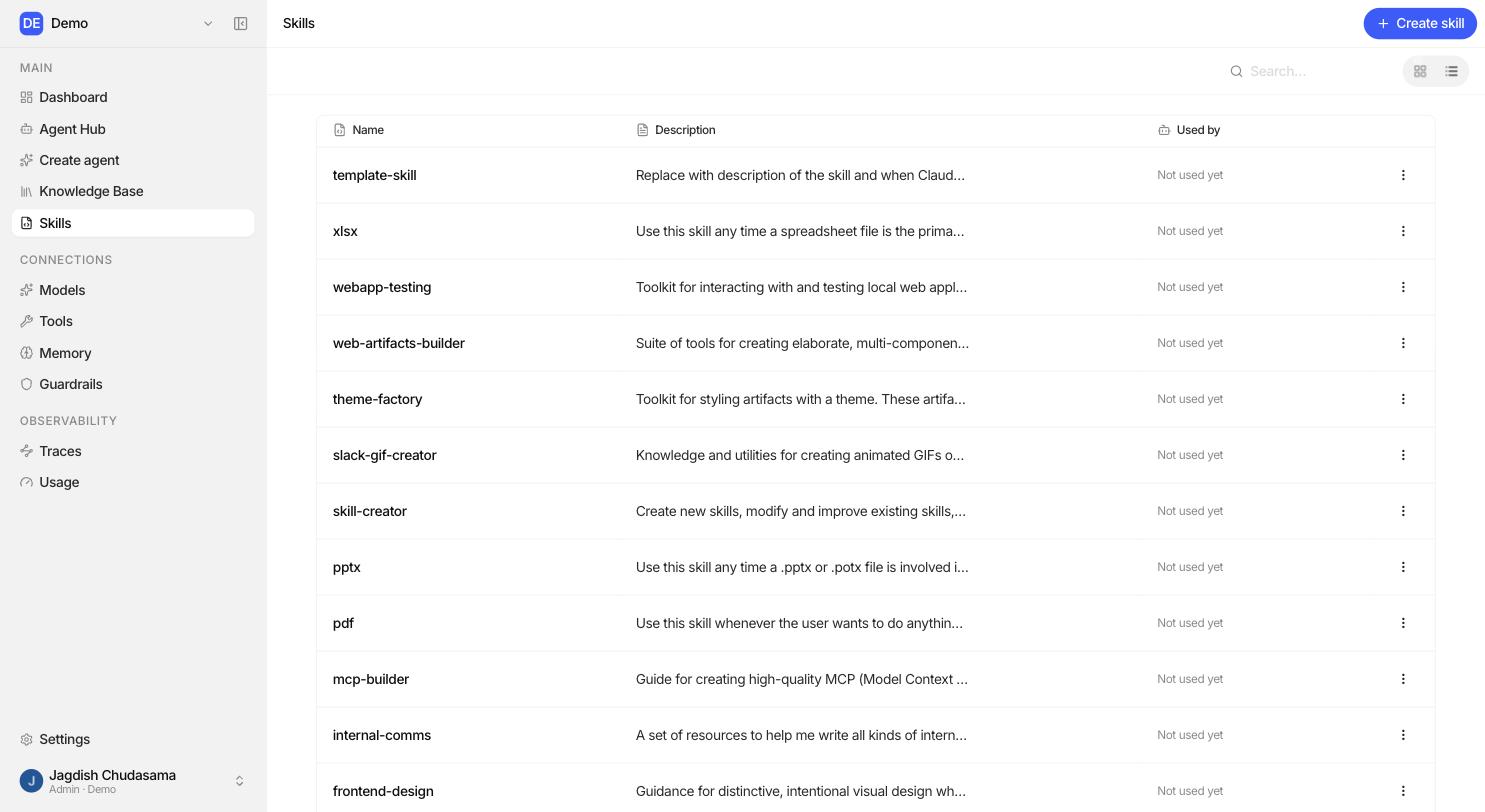
Example: "Acme brand voice"
# Acme brand voice

- Write in plain English. Short sentences. No jargon.
- Address the reader as "you". Never "the user".
- Never use: leverage, synergy, cutting-edge, revolutionary.
- Numbers under ten are written as words, ten and above as digits.
- Sign off as "The Acme team", never with an individual name.
Attach a skill to an agent
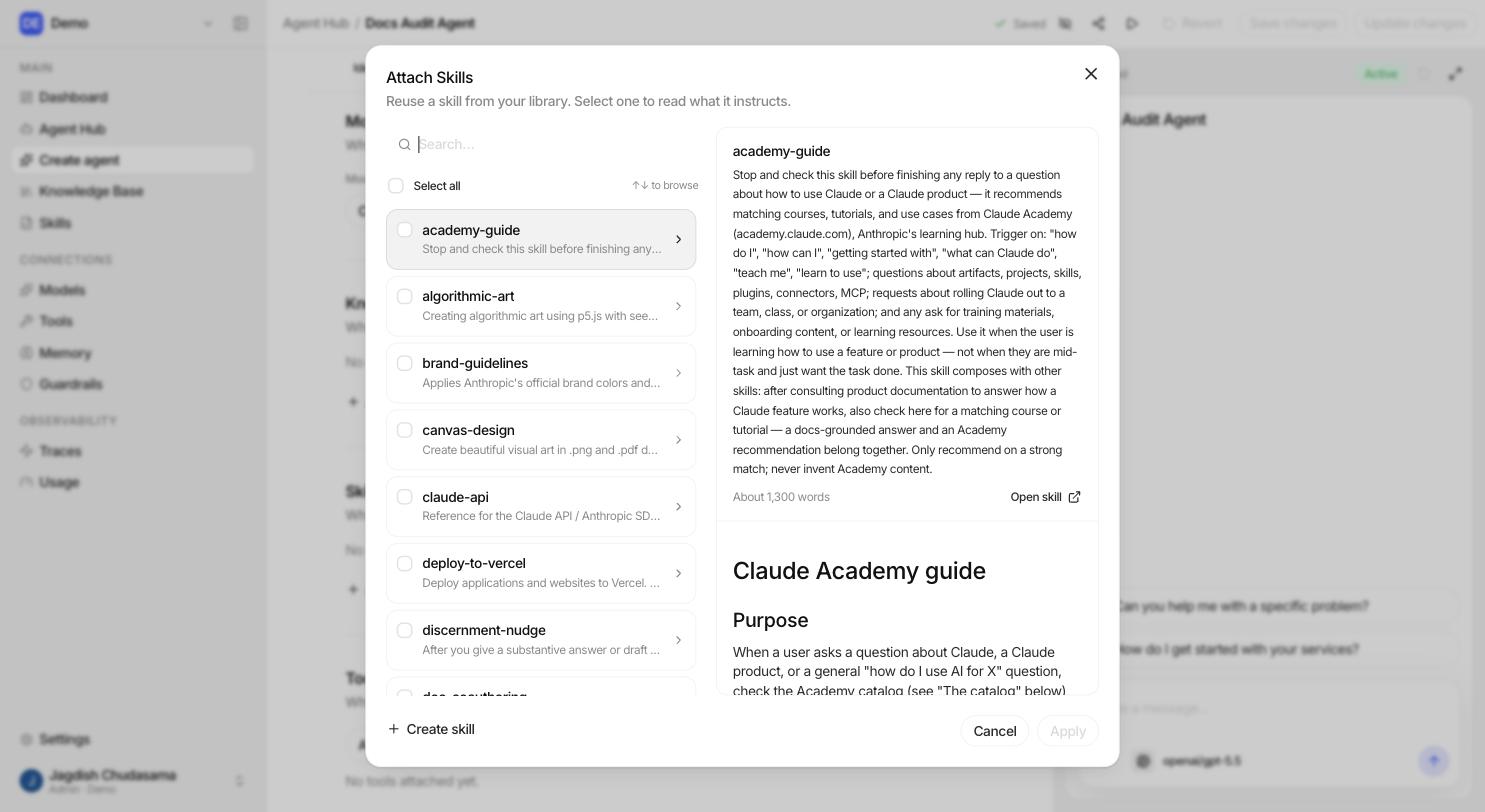
- Open the agent in the Agent Builder.
- Scroll to Skills.
- Click Add skill and pick from the list.
To attach a skill you need Editor on the agent and at least Viewer on the skill. If you cannot see a skill in the picker, it has not been shared with you.
Detaching removes it from that agent only. The skill itself is untouched.
Sharing skills
Skills use the same three-level sharing as agents and knowledge bases:
| Level | Can |
|---|---|
| Viewer | Read the skill and attach it to agents they can edit. |
| Editor | Change its name, description and content. |
| Admin | Delete it and share it with others. |
You can share with a person, a group, or the whole organization.
Creating a skill without leaving the builder
The builder has a Create skill shortcut in the Skills section, so you can pull a block of instructions out into a skill the moment you notice you are repeating yourself.