

RBAC, teams and permissions
The two layers
| Layer 1: Role | Layer 2: Object permission | |
|---|---|---|
| Answers | What kinds of thing may this person create or administer? | Which specific objects may this person reach? |
| Set by | An admin, in Settings → Roles | Whoever admins that object, via Share |
| Example | "Members may create agents." | "Priya is an Editor on the Support Triage agent." |
Both must pass. Holding agent: create does not let you open somebody else's
agent. Being an Editor on one agent does not let you create new ones.
Part 1: Organization setup
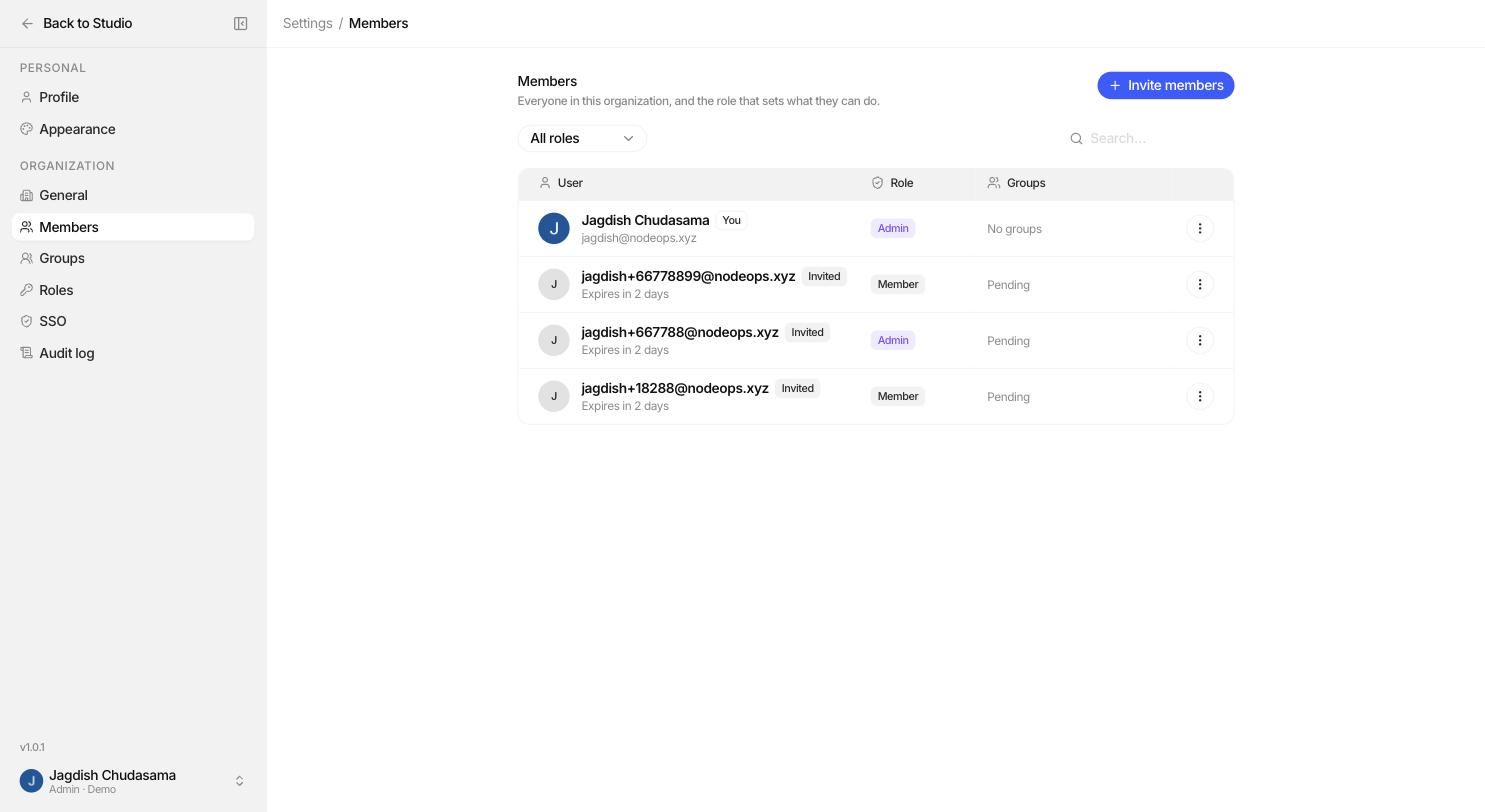
Members
Settings → Members
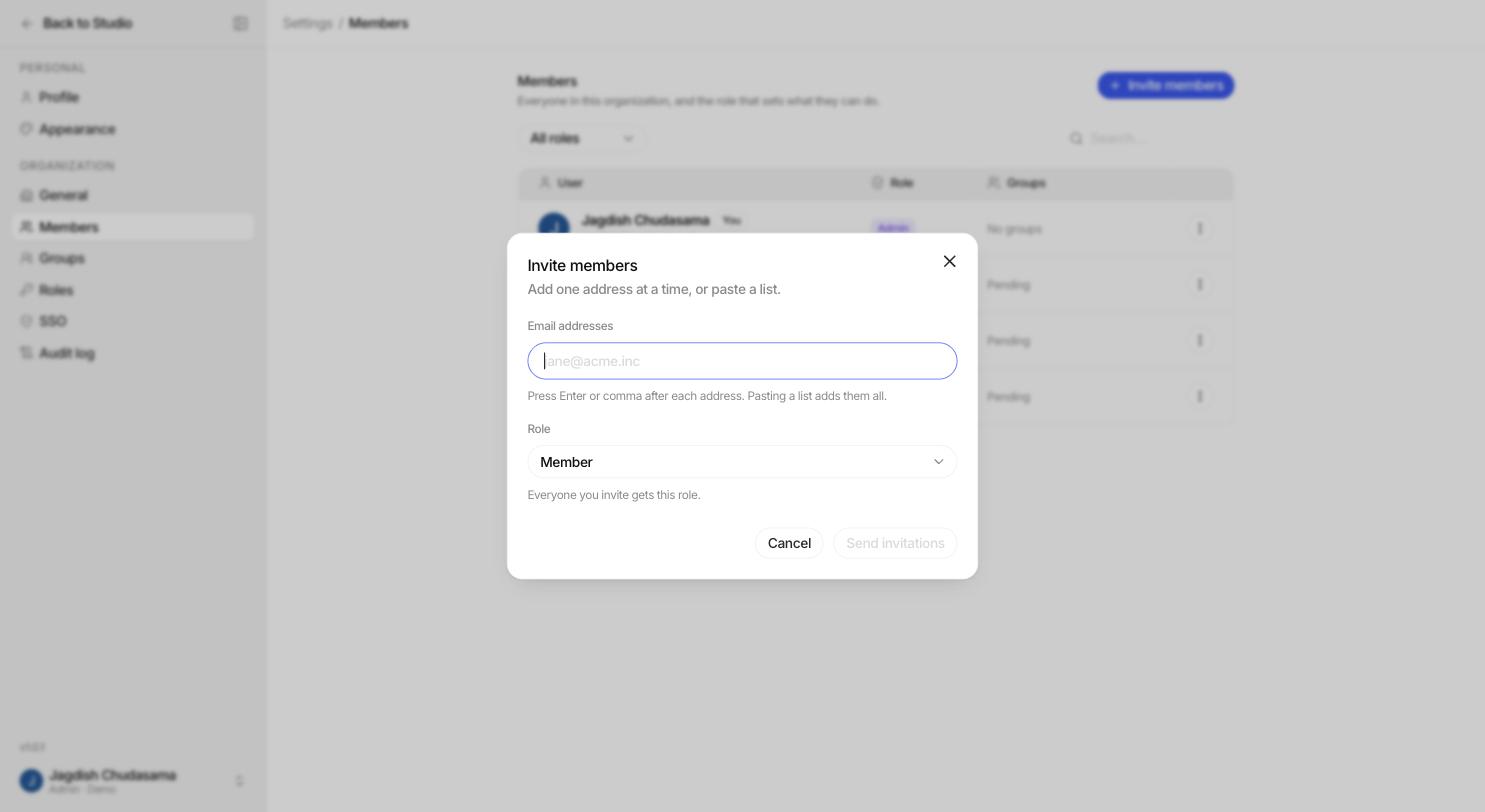
- Invite people by email. They get a join link.
- Change a member's role.
- Remove a member.
- See a member's footprint before removing them, so you know what they own.
Groups
Settings → Groups
A group is a named set of people, such as "Support" or "Legal". Groups exist so you can share things with a team instead of naming individuals one at a time.
- Create a group and add members.
- Share an agent, knowledge base or skill with the group.
- When someone joins the group they get everything the group has. When they leave, it goes.
You can also invite someone straight into a group.
Part 2: Roles
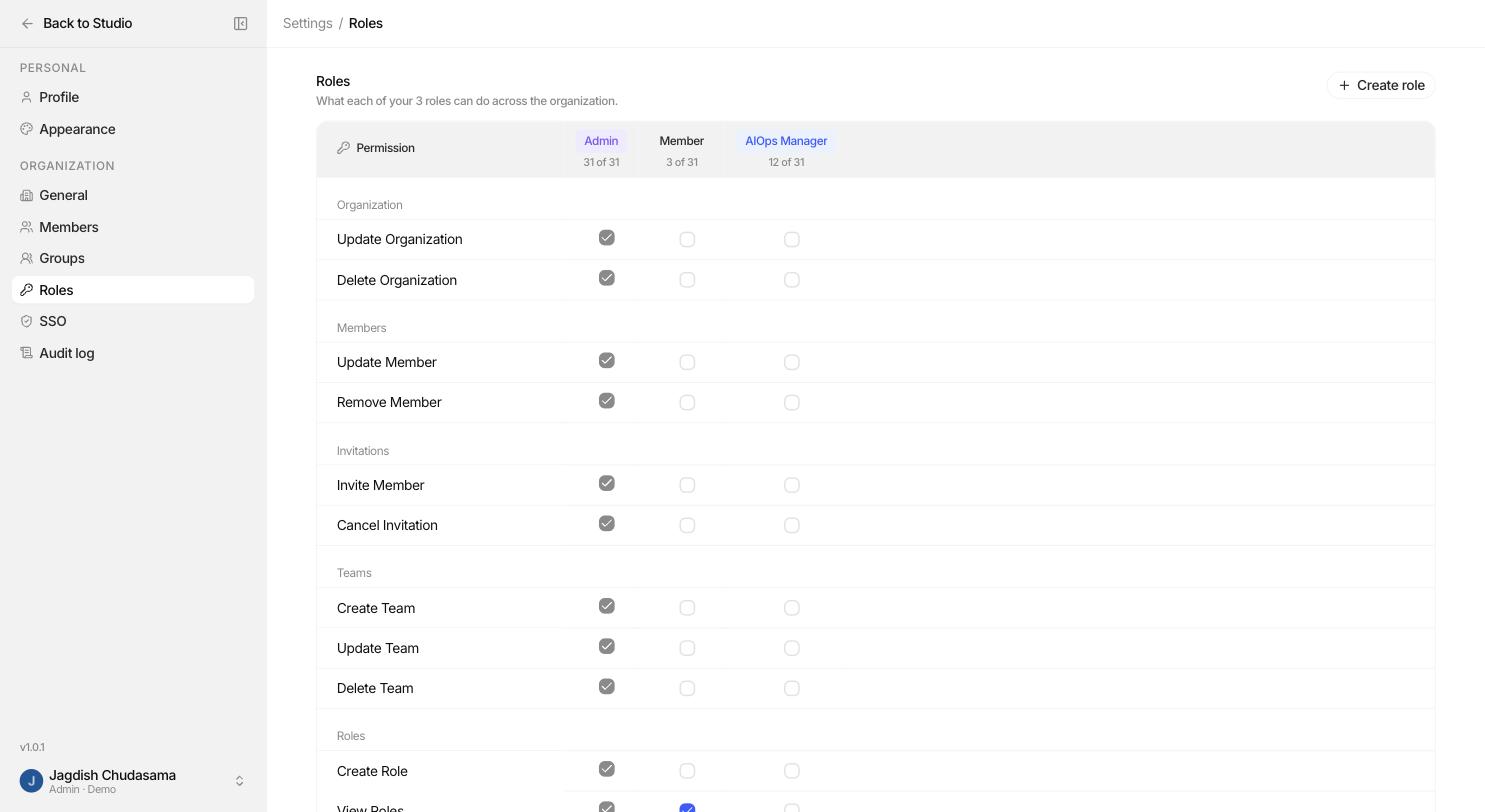
Settings → Roles
The three built in roles
| Role | Holds | Editable? |
|---|---|---|
| admin | Everything, including deleting the organization. The person who creates the organization gets it. | No. Fixed by design. |
| member | The baseline everyone starts with: read roles, and read memory and guardrail connections so the builder pickers work. | Permissions yes. Cannot be renamed or deleted. |
| AIOps Manager | Every connector permission (models, memory, guardrails) and nothing from the management plane. Lets you delegate provider administration on its own. | Permissions yes. Cannot be renamed or deleted. |
Custom roles
Create a role, give it a name, and tick the permissions it should hold.
Role names are unique and case insensitive, and you cannot reuse the names of the built in roles.
The permission catalogue
Building
| Permission | Allows |
|---|---|
agent: create | Create new agents |
knowledgebase: create | Create new knowledge bases |
skill: create | Create new skills |
Connectors
| Permission | Allows |
|---|---|
connector_model: read / create / update / delete | Manage model providers and the allowlist |
connector_memory: read / create / update / delete | Manage memory providers |
connector_guardrail: read / create / update / delete | Manage guardrail providers |
Observability
| Permission | Allows |
|---|---|
audit: read | Read and export the audit log |
trace: read | See every run in the organization: timings, tokens, cost, error types |
trace: read_payloads | Additionally read prompts, tool arguments, tool results and conversation content |
Organization management
| Permission | Allows |
|---|---|
organization: update / delete | Change or delete the organization |
member: update / delete | Change member roles, remove members |
invitation: create / cancel | Invite people, cancel invitations |
team: create / update / delete | Manage groups |
ac: create / read / update / delete | Manage roles themselves |
Four roles worth creating
| Role | Give it | For |
|---|---|---|
| Builder | agent: create, knowledgebase: create, skill: create | People who build agents |
| Auditor | audit: read | Compliance and security review, with no ability to change anything |
| Platform Ops | trace: read | Watching latency, errors and spend without reading conversations |
| Support Lead | trace: read, trace: read_payloads | Investigating individual customer complaints in full |
Part 3: Sharing individual objects
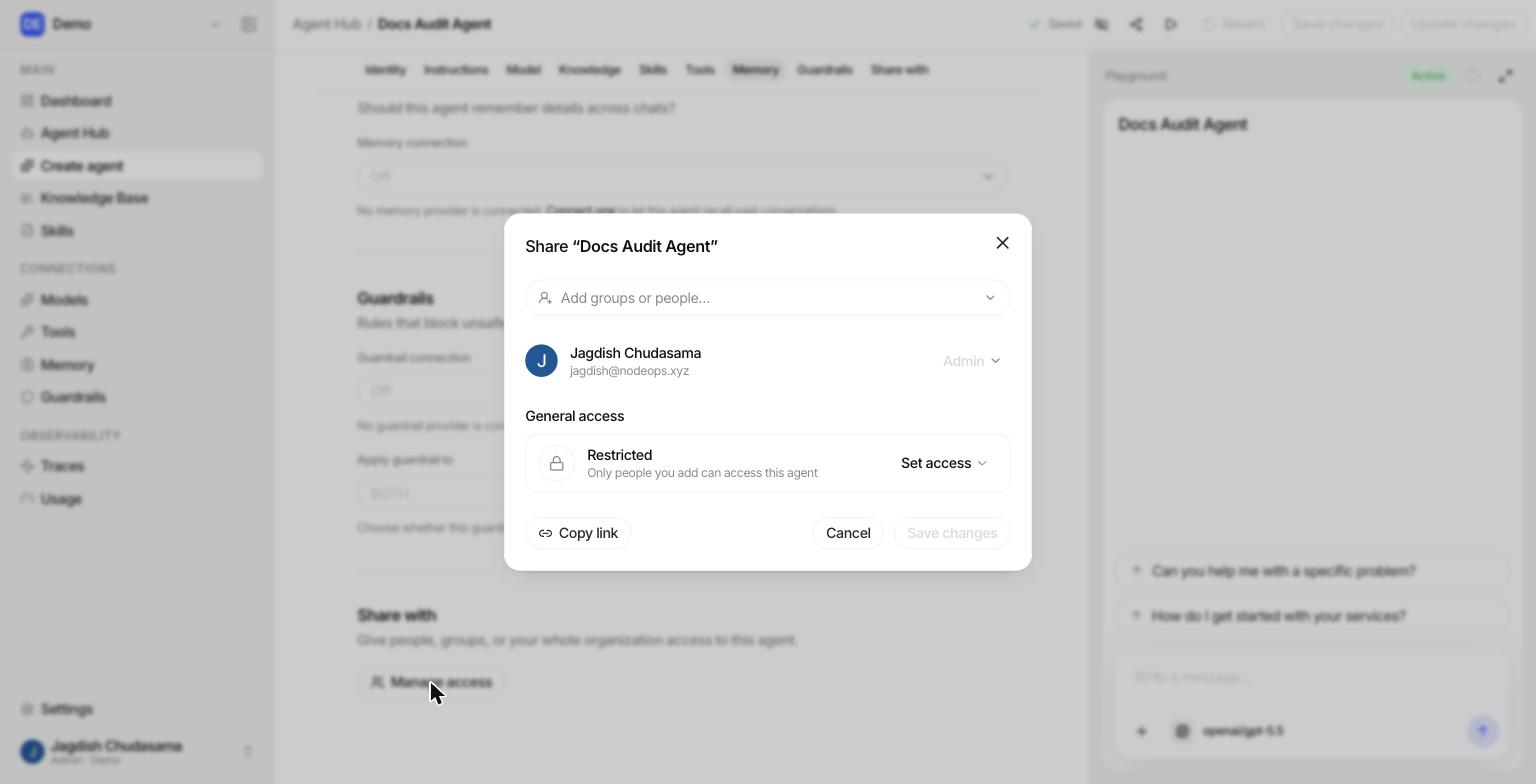
Agents, knowledge bases and skills each have their own Share control.
| Level | Can |
|---|---|
| Viewer | Open it, use it, and attach it to things they can already edit |
| Editor | Everything a viewer can, plus change its configuration |
| Admin | Everything an editor can, plus delete it and share it with others |
Who you can share with
| Subject | Use for |
|---|---|
| A person | One off access |
| A group | Whole teams. Membership changes take effect immediately. |
| The organization | Something everybody should have |
How the levels combine
If you are granted access more than once (personally, through a group, and through the organization), the highest level wins. Grants are resolved live on every check, so removing someone from a group takes effect at once.
Part 4: Single sign on
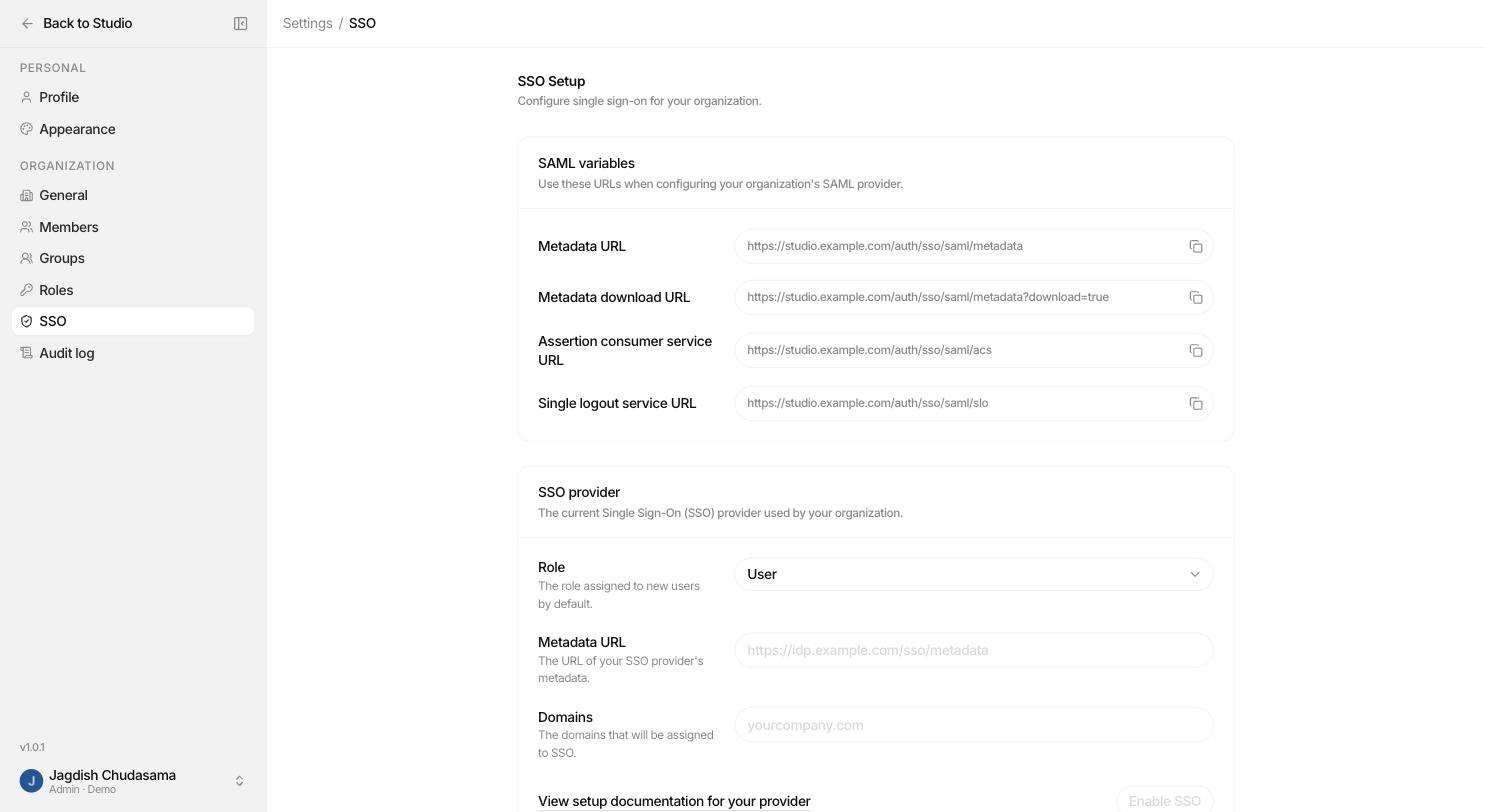
Settings → SSO
Connect your identity provider so people sign in with their company account. Domain verification is supported.
A recommended starting setup
- Keep admin to two or three people.
- Create a Builder role and give it to everyone who builds agents.
- Create an Auditor role for compliance.
- Give AIOps Manager to whoever owns provider keys.
- Create groups that mirror your real teams.
- Share agents and knowledge bases with groups, never with long lists of individuals.
- Review Settings → Audit log monthly, filtered to denials.