

Model Gateway
How it works
One connection point means one place to rotate a key, one place to set an allowlist, and one consistent record of what was spent.
Supported providers
| Provider | What you need |
|---|---|
| OpenAI | API key |
| Anthropic | API key |
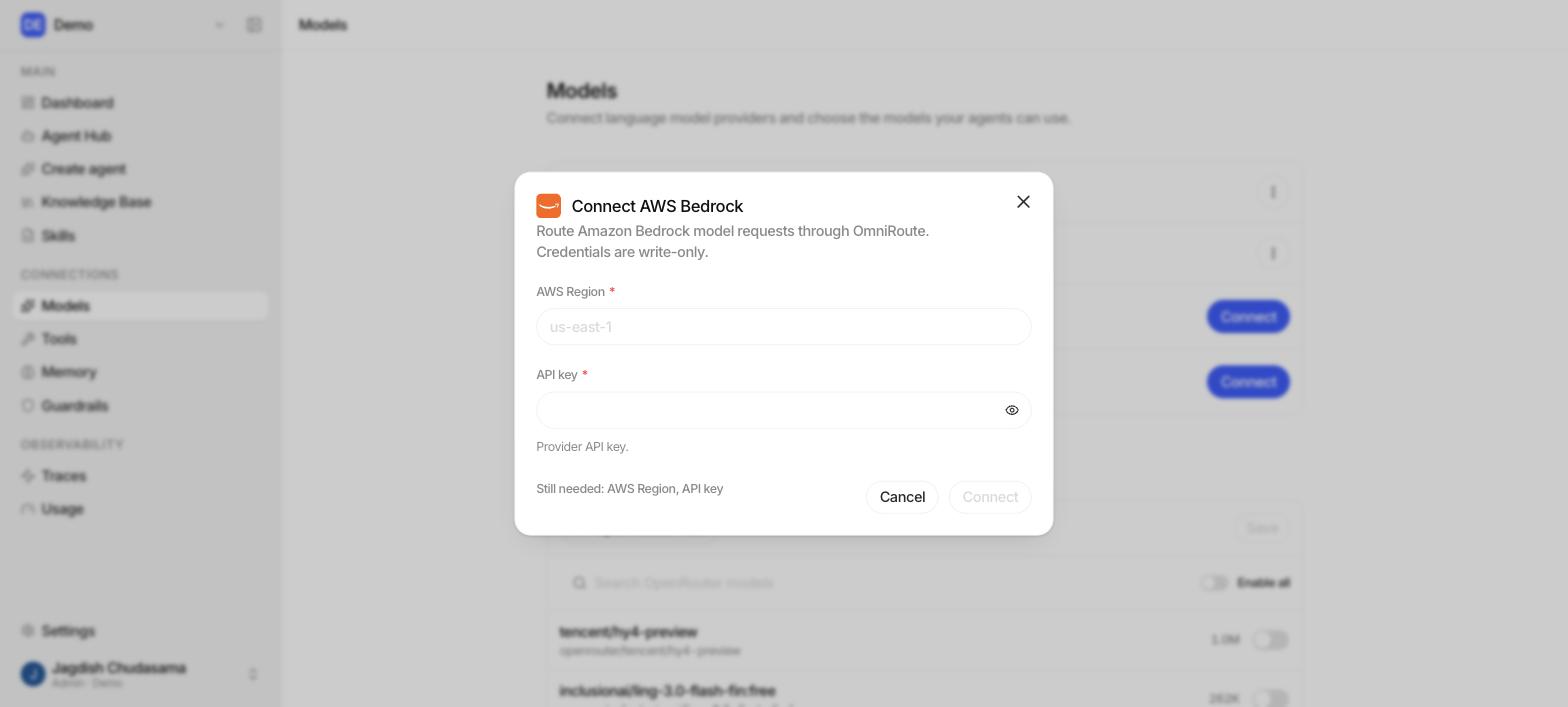
| AWS Bedrock | Bedrock API key and an AWS region (e.g. us-east-1) |
| OpenRouter | API key |
Connect a provider
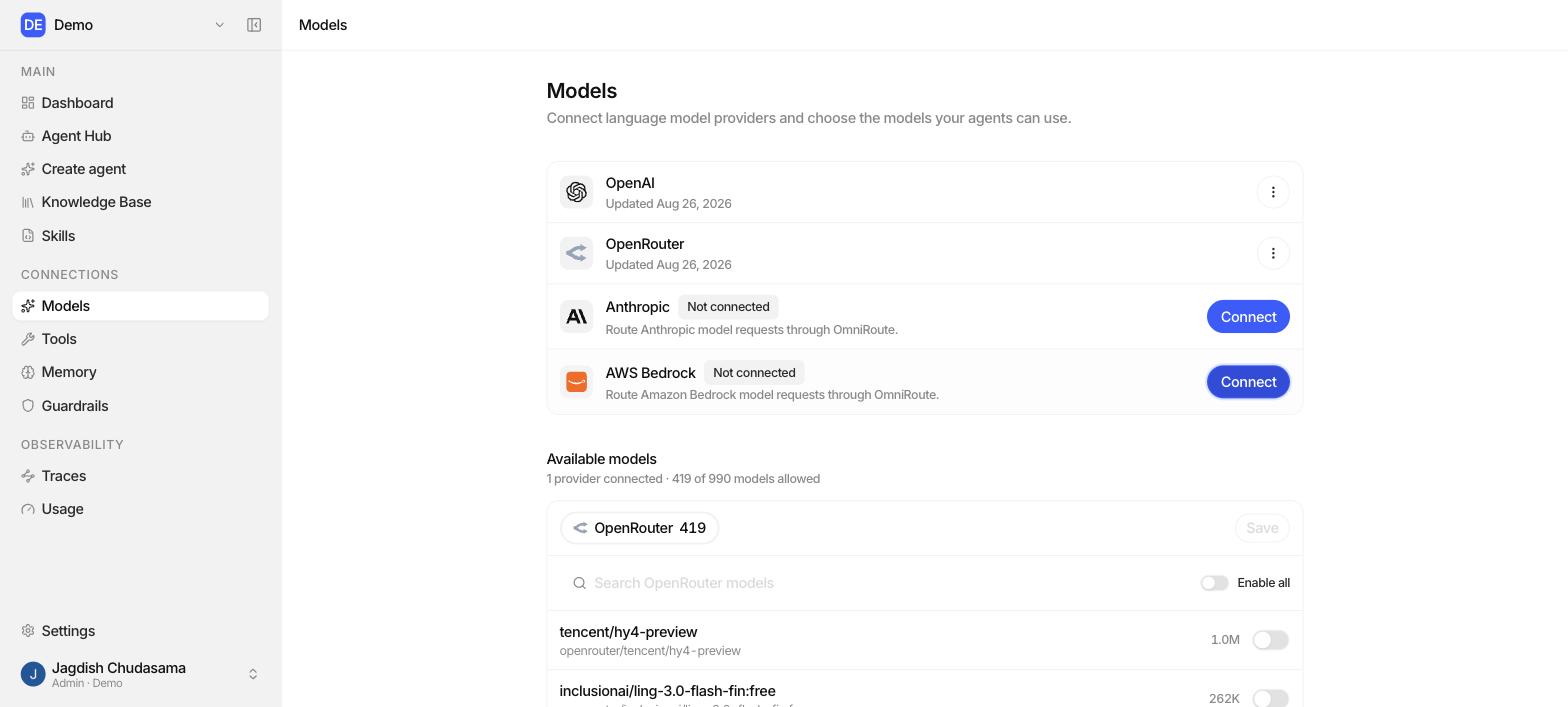
- Sidebar → Models.
- Connect provider.
- Choose the provider. The form changes to ask for exactly what that provider needs.
- Paste the credential, add a label (e.g. "Production OpenAI"), and save.
What Studio does next:
- Validates the credential against the provider.
- Encrypts it with AES-256-GCM and stores it in the internal vault.
- Registers the provider with the gateway.
- Marks the connection Connected.
Model IDs
Models are identified by a three-part ID:
openrouter/openai/gpt-4o-mini
│          │      └─ the model
│          └─────── the vendor who made it
└──────────────── the gateway provider it is routed through
This keeps things unambiguous when two providers offer the same model. Studio stores and sends the full ID unchanged.
Controlling which models your team can use
An admin can set an allowlist per provider. Only allowlisted models appear in the agent model picker.
Use it to:
- keep an expensive frontier model off limits for everyday agents,
- standardise on one or two models across the company,
- retire a model without hunting through every agent.
Per-member keys
Each member of the organization gets their own scoped gateway key, issued automatically when they join. It is used only for server-to-server calls and never reaches the browser.
The practical effect: model spend is attributable to the person who ran the agent, which is what makes the per-run cost in Audit traces and Usage meaningful.
Managing connections
| Action | Effect |
|---|---|
| Update | Replace the credential or change the configuration. |
| Disconnect | Stops the provider being used. Agents pointing at its models will fail to resolve a model. |
| Reconnect | Brings a disconnected provider back. |
| Delete | Removes the connection entirely. |
Every one of these writes an audit row. See Audit logs.
Troubleshooting
| Message | Cause | Fix |
|---|---|---|
| "Agent model could not be resolved" | No connected provider serves that model, or it is not allowlisted. | Reconnect the provider, or add the model to the allowlist. |
| Model picker is empty | No provider connected yet. | Ask an admin to connect one. |
| A retryable conflict on save | Two admins edited the same provider at once. | Wait a moment and retry. It is safe. |
| Credential rejected | The provider refused the key. | Check the key, and for Bedrock check the region. |