

Guardrails
What a guardrail catches
Guardrails are provided by specialist services. Depending on how yours is configured, it can catch things like:
- Personal data (names, emails, card numbers, health identifiers)
- Prompt injection and jailbreak attempts
- Prohibited topics you define
- Hate, harassment, violence and sexual content
- Confidential or off limits phrasing
Where it sits
Supported providers
| Provider | You configure | Credential |
|---|---|---|
| AWS Bedrock Guardrails | AWS region, guardrail ID, guardrail version | IAM role ARN, access key ID, secret access key |
| Google Model Armor | GCP project ID, location, template ID | Service account JSON |
Set it up
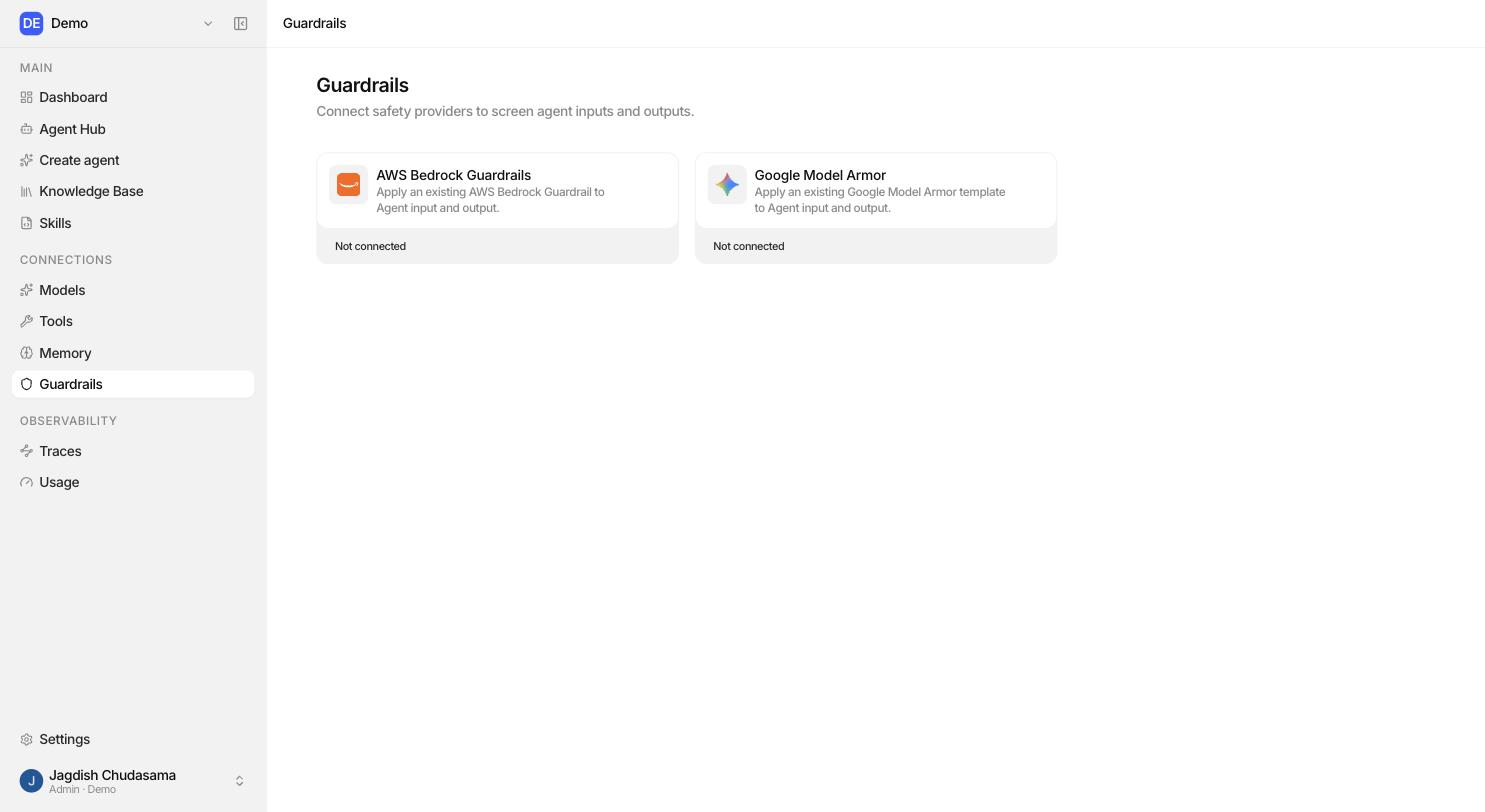
1. Connect a provider (admin)
Sidebar → Guardrails → Connect provider → choose the provider → fill in the configuration and credentials → save.
Studio validates and encrypts the credential. It is never returned by the UI or the API.
2. Attach it to an agent
Agent Builder → Guardrails section → choose the connection, then choose which side it checks.
Attaching needs only Editor on the agent. Every member can read guardrail connections by default, so the picker works for non admins.
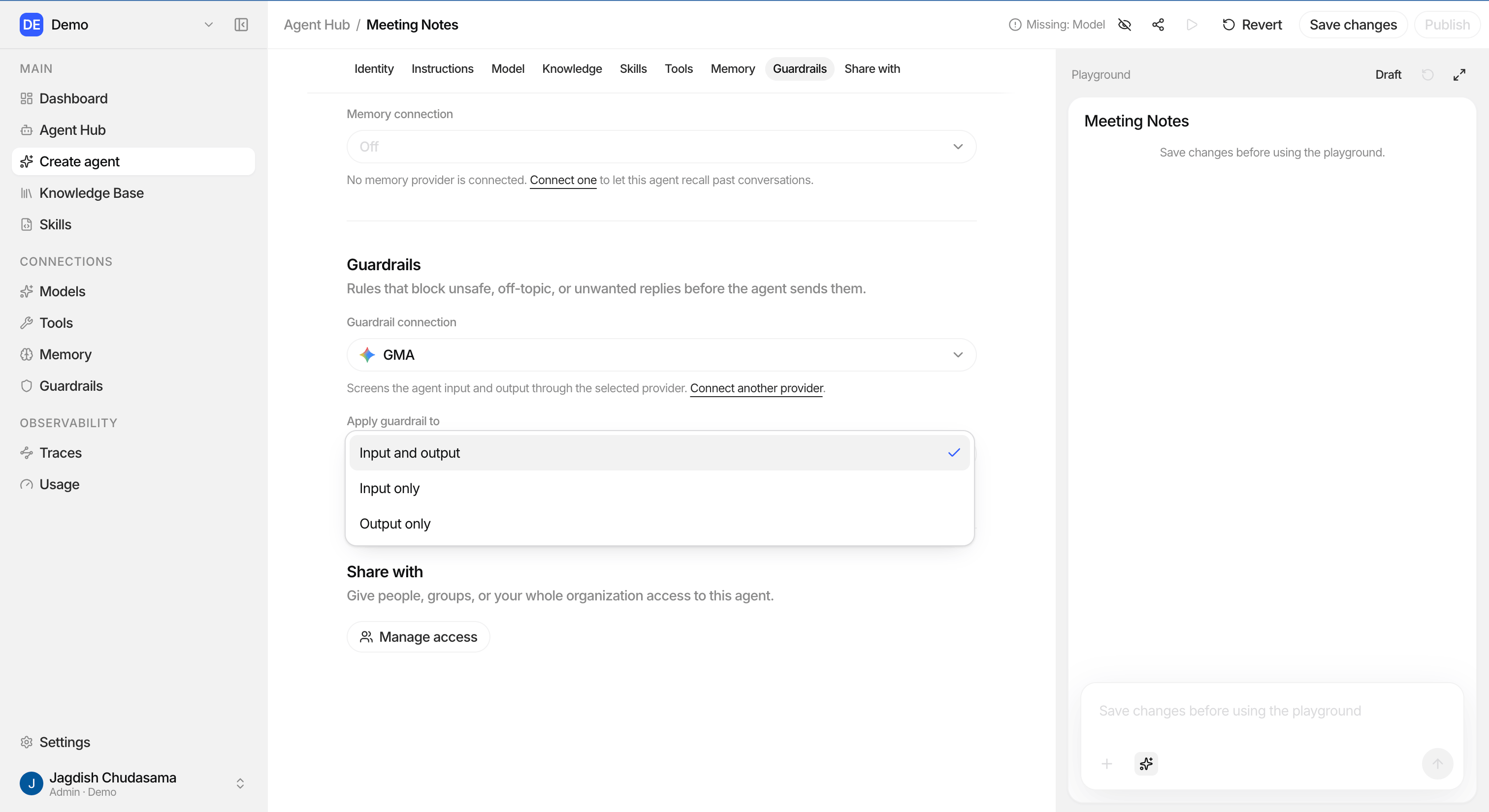
Choosing a mode
| Mode | Checks | Good for |
|---|---|---|
| Input | Only what the user sends | Stopping prompt injection and blocking sensitive data before it reaches the model |
| Output | Only what the agent replies | Making sure nothing unsafe or confidential reaches the reader |
| Both (default) | Input and output | Almost every production agent |
What happens when a guardrail fires
- The run stops at that point.
- The user sees a clear message saying the content was blocked.
- A guardrail step is written into the run's trace, showing which stage fired and why.
The blocked content is not delivered.
The snapshot rule
When a run starts, the guardrail connection and mode are frozen onto that run. Changing the agent's guardrail afterwards does not rewrite history. A trace from three months ago still shows exactly which guardrail was in force at the time, which is what makes it useful as evidence.
Guardrails are one layer, not the only one
| Layer | Protects against |
|---|---|
| Guardrails | Unsafe content going in or out |
| Tools action selection | An agent doing something it should not be able to do at all |
| RBAC, teams and permissions | The wrong people configuring or running an agent |
| Instructions | Everyday behaviour and tone |
| Audit logs and Audit traces | Not knowing what happened |
Use all of them. A guardrail is the last line, not the first.
Troubleshooting
| Problem | Check |
|---|---|
| Everything is blocked | The guardrail policy in the provider console is probably too broad. Tune it there. |
| Nothing is ever blocked | Confirm a connection is actually attached and the mode covers the side you expect. |
| Model Armor rejects the location | Use a regional location such as us-central1, not global. |
| Bedrock credential rejected | Check the role ARN format and that the role can call the guardrail. |