

Agent Builder
The layout
The builder is a two-pane screen.
- Left pane, Configuration. Everything about the agent, in order.
- Right pane, Playground. A live chat with the agent as it is configured right now.
A sticky section bar lets you jump between sections.
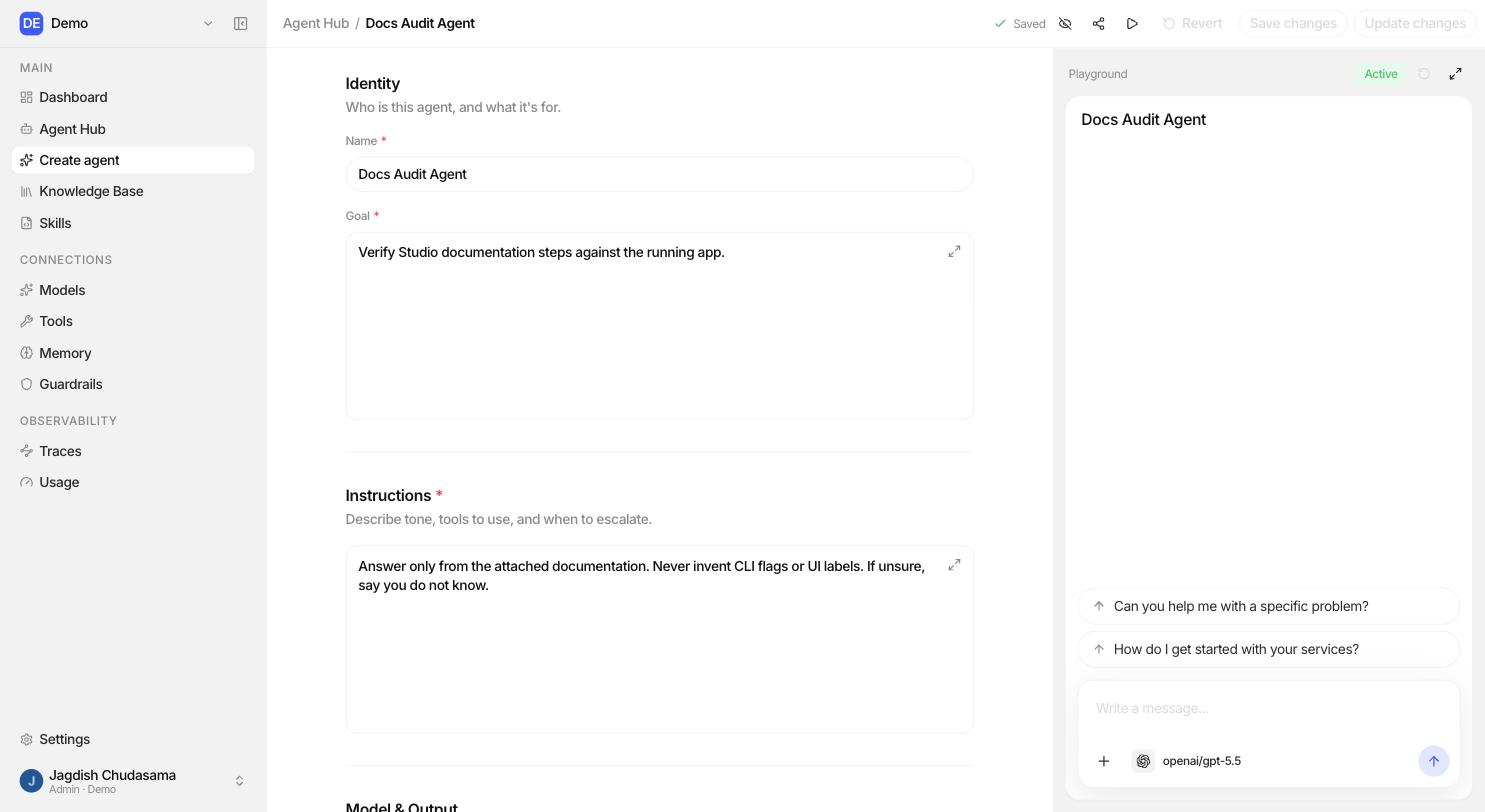
The sections, and where they are documented
| Builder section | Stage | What you set | Docs |
|---|---|---|---|
| Identity | Define | Name, goal | Goals & Instructions |
| Instructions | Define | How the agent behaves | Goals & Instructions |
| Model & Output | Define | Which model answers | Model Gateway |
| Skills | Define | Reusable instruction blocks | Skills |
| Knowledge | Ground | Documents the agent can search | Knowledge base |
| Memory | Ground | What it remembers between conversations | Memory |
| Tools | Act | Apps it may use | Tools |
| Guardrails | Govern | Safety checks on input and output | Guardrails |
| Share with | Govern | Who can view, edit or administer it | RBAC, teams and permissions |
Saving and publishing
- Changes are saved on the agent, not on a draft copy. If you leave with unsaved edits, Studio warns you.
- Publish validates the agent and moves it to Active.
- Pause, Archive and Restore are available from the agent's menu.
Loading diagram...
Who can change what
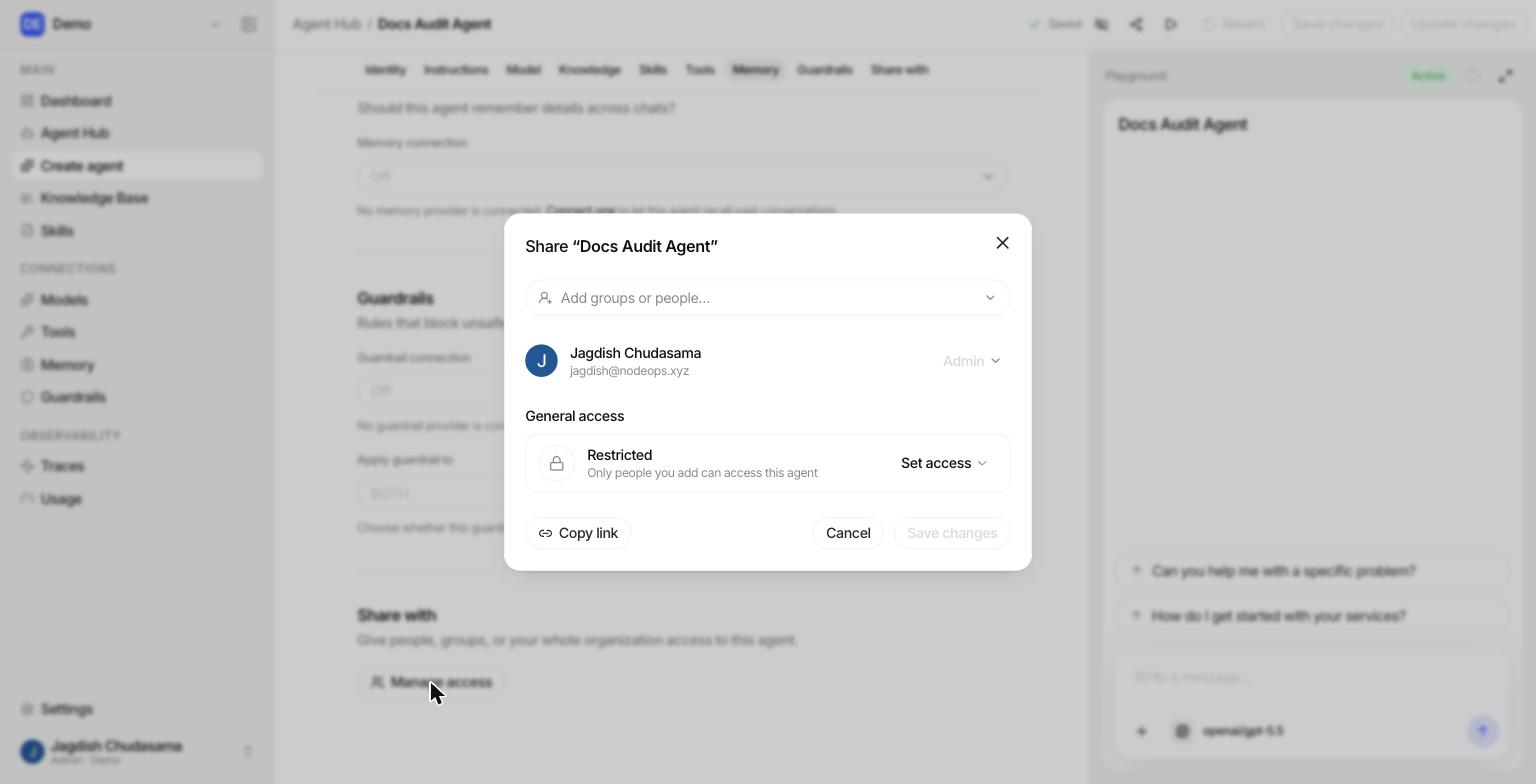
Sharing an agent gives someone one of three levels:
| Level | Can do |
|---|---|
| Viewer | Open the agent, run it, see its sessions. |
| Editor | Everything a viewer can, plus edit configuration, attach knowledge/skills/tools, publish, pause, archive. |
| Admin | Everything an editor can, plus delete the agent and re-share it with others. |
You can share with a person, a group, or the whole organization.
A note on order
You do not have to fill the sections top to bottom. A useful order in practice:
- Goal and instructions. Get the behaviour roughly right.
- Model. Try a smaller model first; move up only if quality demands it.
- Knowledge. Attach documents and re-test.
- Tools. Add one at a time and test after each.
- Guardrails. Turn on before you share it widely.
- Share. Start with a small group.
In this section
- Define → Goals & Instructions, Skills, Model Gateway
- Ground → Knowledge base, Memory
- Act → Tools
- Govern → Guardrails, Audit logs, Audit traces, Usage, RBAC
- Operate → Sandbox