

Agent templates and the builder assistant
Templates
Sidebar → Create agent. The landing page reads "Start from scratch or pick a template below".
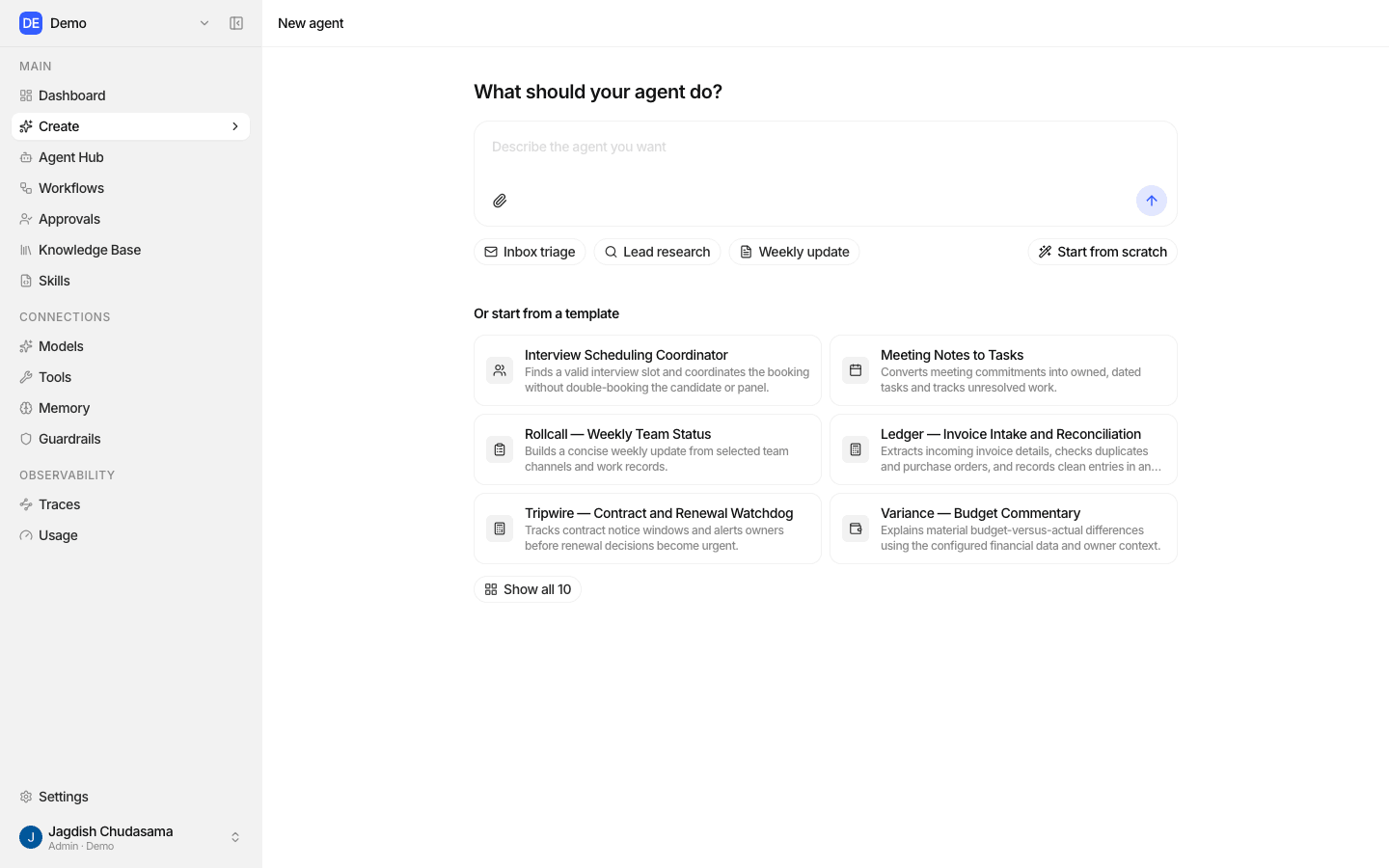
| Template | Category | Works best with |
|---|---|---|
| Interview Scheduling Coordinator | Recruiting | Google Calendar, Notion |
| Meeting Notes to Tasks | Productivity | Notion, Google Drive, Google Docs |
| Rollcall: Weekly Team Status | Team Operations | Slack |
| Ledger: Invoice Intake and Reconciliation | Finance Operations | Gmail, Google Sheets |
| Tripwire: Contract and Renewal Watchdog | Operations | Google Drive, Google Sheets |
| Variance: Budget Commentary | Finance | Google Sheets |
| Quorum: Recurring Meeting Prep | Productivity | Google Calendar, Notion, Google Drive, Google Docs |
| Cadence: Content Calendar Operator | Marketing | Notion |
| Sentry: Competitive and Account Signals | Sales and Research | Search, Salesforce, Notion |
| Respondent: Questionnaire Assistant | Sales Operations | Google Drive, Google Docs, Google Sheets |
A template fills in the goal and instructions and suggests the toolkits to connect.
The agent builder assistant
A built-in assistant inside the Agent Builder that configures the agent with you, in conversation.
Where it appears
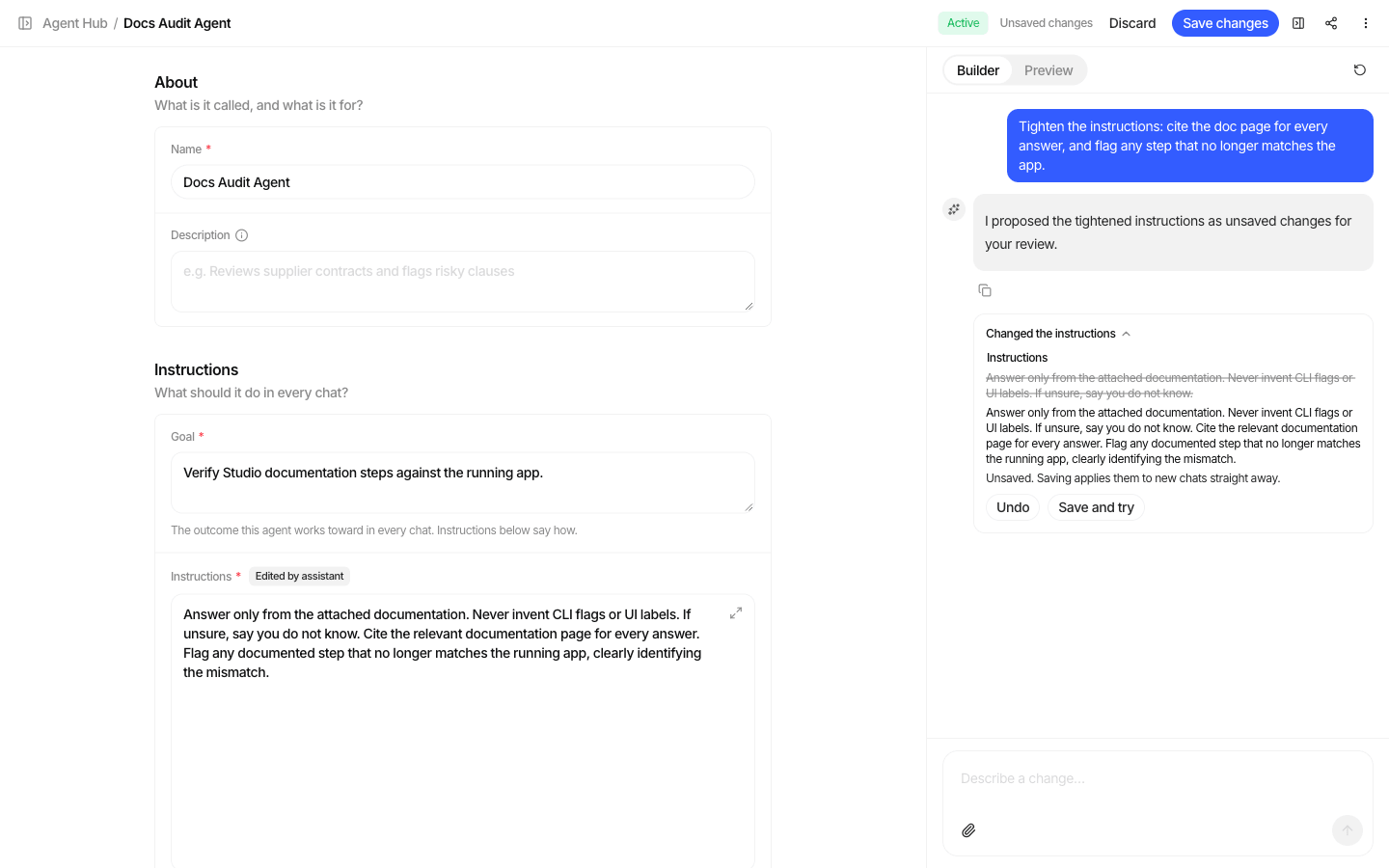
- On the Create agent page, type a description of the agent you want. Studio creates a draft and hands your description to the assistant as its first message.
- In the Agent Builder, open the assistant's Chat tab at any time.
Suggested prompts help you start: "This agent should…", "Suggest a goal and instructions for…", "Make the replies…", "Tighten the instructions so…", "Add a knowledge base about…".
What it can do
| Action | How it applies |
|---|---|
| Propose name, description, goal, instructions, model, output format | As unsaved changes shown as a diff. Review, keep or undo them. |
| Look up models, skills, knowledge bases and toolkits you can use | Read only |
| Attach or detach a skill, knowledge base or toolkit | Saved immediately, and live at once if the agent is Active |
| Save or publish | Only when you ask for it in your message |
While the assistant is working, the form is locked ("The assistant is editing this agent"). Each person has one assistant conversation per agent; start a new chat to clear it.
Availability
The assistant runs on a model your Studio operator configures, not your organization's model connections, and it does not count against your model allowlist. If the operator has not configured it, the Chat tab is unavailable and a description you type on the Create agent page goes into the goal field instead.