

API keys
Where
Sidebar → Settings → API keys.
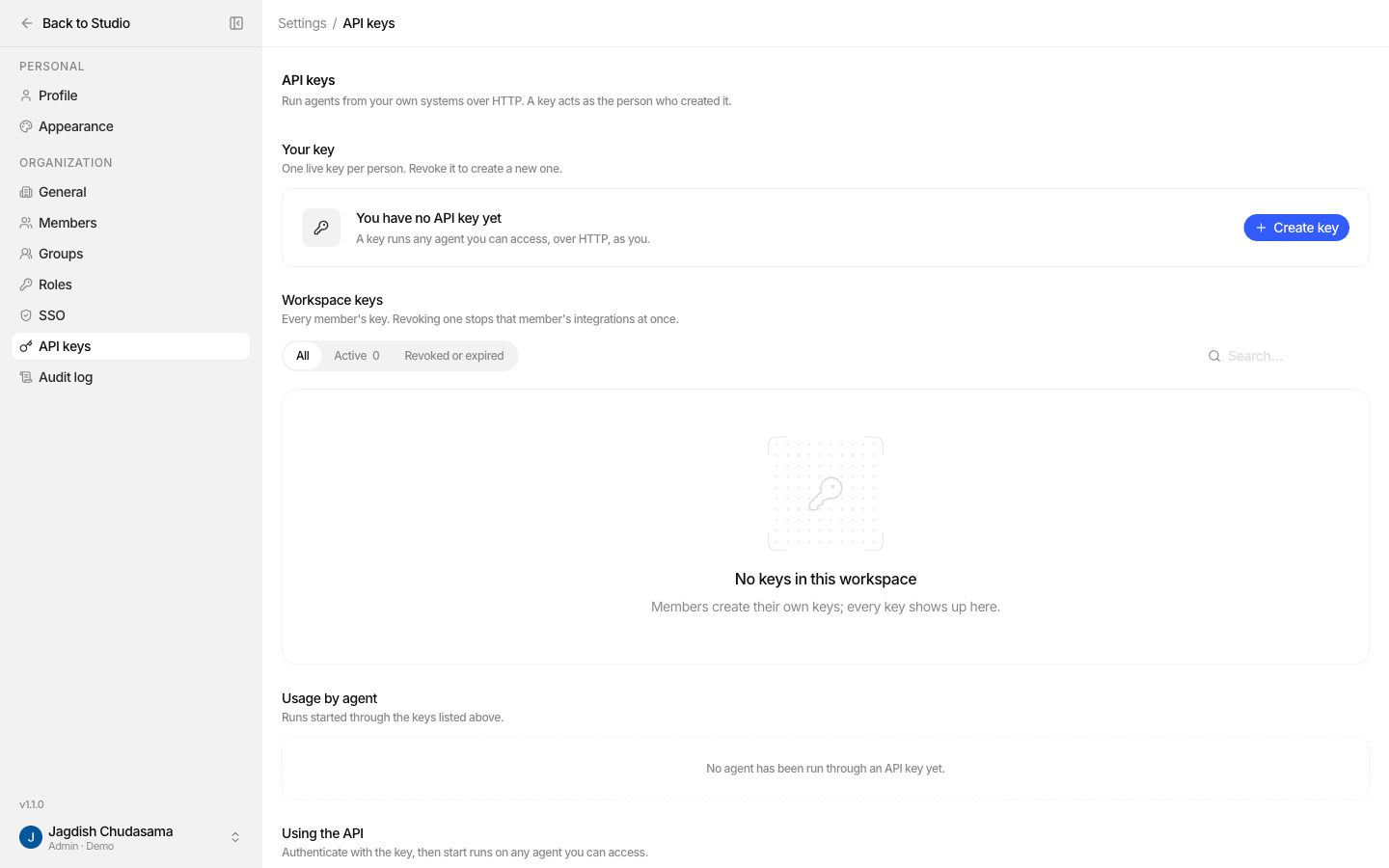
Create a key
- Settings → API keys → Create key.
- Give it a name (1 to 32 characters), e.g. "Support backend".
- Choose an expiry: No expiry, 30 days, 90 days or 1 year.
- Copy the secret.
Keys look like studio_.... After creation, Studio only ever shows the first few
characters so you can tell keys apart.
One live key per person
Each person can hold one live key per organization. To create a new one, revoke the old one first. There is no rotate or rename: revoke, then create.
What a key can do
| Can | Cannot |
|---|---|
| Run agents the creator can reach, through the Public API | Create, edit or delete agents, knowledge bases or anything else |
| Read, stream, answer and cancel the runs it started | Read other people's runs |
| Connect to the MCP server (that uses OAuth instead) |
Keys have a single fixed scope, invoke agents. There are no selectable scopes.
Who can do what
| Permission | Allows | Held by default by |
|---|---|---|
apiKey: create | Create your own key | admin, member |
apiKey: read | See every key in the organization and the usage-by-agent breakdown | admin |
apiKey: revoke | Revoke anyone's key | admin |
Everyone can always see and revoke their own key.
Usage
The page shows, per key: runs, failures, tokens and cost, plus a usage by agent breakdown and the per-minute request limit that applies to each key.
Revoke
Revoke from the key's row. The key stops working at once, and any integration
using it starts getting 401.
What gets recorded
| Event | Recorded in |
|---|---|
| Creating a key | Audit logs |
| Revoking a key | Audit logs |
| Each run started with a key | Audit traces, attributed to the key's creator |
Good practice
- One key per integration owner, named after the system that uses it
- Set an expiry for anything that is not a long-lived production service
- Keep keys server side only
- For a shared integration, create the key from a dedicated service member whose agent access you control, not a personal account